Links are not yet activated.
Is this your press release? Add a link to submitpr.org on your website and verify it — activation is instant and free.
Or upgrade once for permanent activation (from $19.95, pay with crypto).
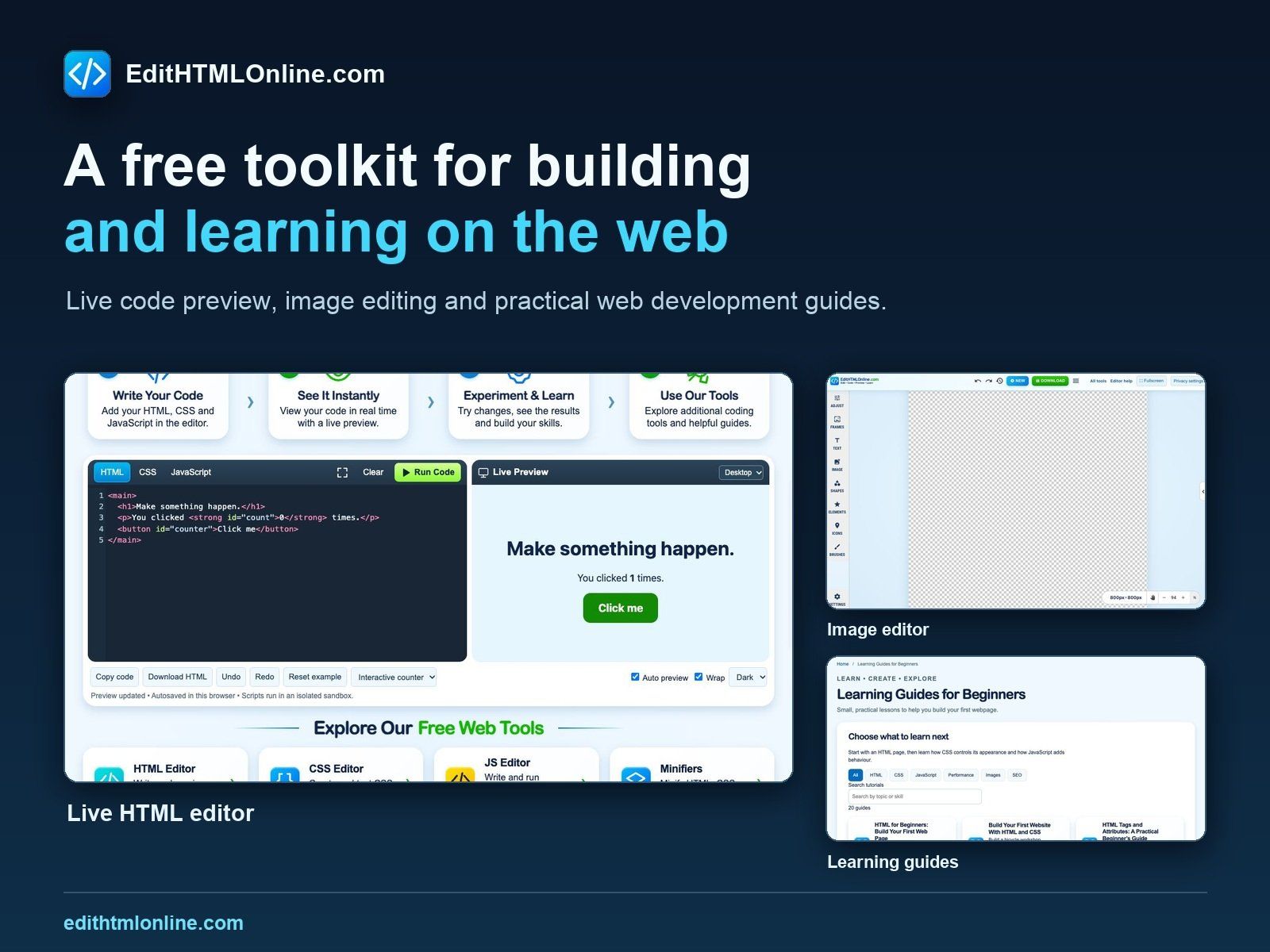
EditHTMLOnline.com today announced its redesigned website, bringing the site’s free web development and creative tools into a single browser-based workspace. The updated navigation groups editors, image and colour tools, code utilities and learning guides by task. A searchable catalogue and links between related tools make it easier to move from a lesson or a small change to the tool needed for the next step. The platform is available at https://edithtmlonline.com/.Write code and see the result in the same workspace
The online HTML editor lets users write and test HTML, CSS and JavaScript alongside a live preview. A beginner can start from a sample page and see how changing a heading, colour or layout affects the result. A developer can isolate a snippet, reproduce a display issue or test a small interaction before bringing the change back into a project. Users can switch between preview sizes, copy their code and download a complete HTML file. Dedicated CSS and JavaScript editors are also available for focused experiments.
The site can be opened on a desktop or mobile browser. On a wider screen, the code and its rendered output can be viewed side by side. On smaller screens, separate controls let users switch between editing and previewing. That makes it possible to check an example or try a small change on a phone and keep more of the workspace visible on a larger display.
Edit an image, then prepare it for the web
The online image editor at https://edithtmlonline.com/image-editor/ opens an uploaded image or a blank canvas. Users can crop, rotate and resize images, adjust brightness and contrast, apply filters, and add text, shapes or frames. Layers can be arranged before the finished work is downloaded. A separate bulk converter resizes images and exports them as WebP. Together, the tools cover common tasks such as preparing a blog illustration, cropping a product image or creating a smaller asset for a webpage.
Handle day-to-day development tasks in the browser
The wider catalogue includes HTML, CSS and JavaScript minifiers and formatters, JSON formatting, validation and minification, and converters for JSON, CSV, timestamps and number bases. Text tools support counting, sorting, cleaning up whitespace and removing duplicate lines. Other utilities cover URL and HTML entity encoding, Base64, hashes and identifiers.
For visual work, the colour tools include a picker and CSS gradient generator. The catalogue also includes a contrast checker and generators for Flexbox, Grid, borders, shadows, shapes, filters, transitions and animations. Site owners can prepare metadata, canonical and hreflang tags, Open Graph tags, campaign URLs and sitemaps. The current collection is listed at https://edithtmlonline.com/tools/.
Learn by changing working examples
The beginner guides at https://edithtmlonline.com/guides/ start with the structure of a first HTML page and progress to links, images, tables, accessible forms, responsive layouts and JavaScript events. Project-based lessons give learners a working example to change as they read. Topics such as image formats, performance and search metadata help connect those first coding exercises to the work of maintaining a real site.
The editors, utilities and guides are free to use. Opening them in a browser lets users get to tasks such as formatting a snippet or resizing an image without installing separate desktop packages. The links between guides, examples and tools also give the site room to grow as a learning resource, with a clear place for additional practical examples alongside the utilities people already use.
About EditHTMLOnline.com
EditHTMLOnline.com provides free browser-based tools and practical learning resources for building, testing and maintaining web pages. It serves people learning HTML and CSS, front-end developers checking snippets, and designers, bloggers and site owners preparing content and images for the web.